
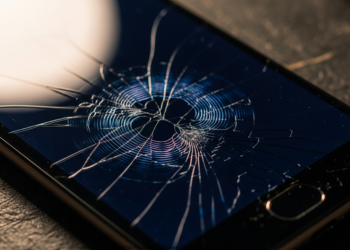
How to Fix Mobile Screen Ghost Touch Problem? Ghost touch, or phantom touch, is when your screen responds to taps that aren’t even there. It can bug you slightly or turn your phone into a brick. Software bugs and hardware faults cause this problem. First, try the easiest solutions.
Part 1: The Main Causes of Ghost Touch
Know the cause to pick the best fix.
- Software Issues: OS bugs, bad applications, or corrupted files.
- Hardware Issues: Unclean screen, poor screen protector, interference from charger, drops, or water exposure.
Part 2: How-To Fixes Step by Step
Try these in order. Skip advanced ones until basics fail.
Step 1: Quick Physical Checks (Start Easy)
These fix many ghost touch cases.
- Clean screen and hands: Most don’t do this. The touchscreen monitors the finger charge. Dirt, oil, or water will interrupt that.
- How: Wipe with a soft microfiber cloth. Dampen lightly with water or safe cleaner if needed.
- Remove Screen Protector and Case:
- Screen protector: A cheap, cracked, or loose screen protector can cause false touches due to gaps or pressure. Take it off and test. How to Fix Mobile Screen Ghost Touch Problem?
- Case: Tight cases squeeze on screen edges. Take it off and look.
- Restart Phone: The old trick works. It clears software hiccups and memory errors.
Step 2: Inspect Charging Gear
This is most often caused by chargers.
Unplug Phone: Ghost touch only while charging? Charger or cable is to blame.
Why: The bad ones send electrical noise that messes with the touchscreen layer.
Disconnect and if it stops, ditch them; get official or quality ones like Anker or Belkin. How to Fix Mobile Screen Ghost Touch Problem?
Part 3: Advanced Software Checks
Basics failed? Check software next.
- Update OS: Updates patch bugs including ghost touch.
- Android: Settings > System > System update.
- iPhone: Settings > General > Software Update.

Safe Mode (Android): This option enables your phone to boot, while only loading the core apps; it bypasses downloads. How to Fix Mobile Screen Ghost Touch Problem?
How: Hold power button. Long-press “Power off” until safe mode option appears.
Test: No ghost touch? A downloaded app is guilty.
- Exit safe mode. Start uninstalling recent apps one by one, such as overlay or accessibility apps.
- Older Androids need calibration using either the settings, codes, or apps downloaded from the Play Store. Newer phones auto-adjust. How to Fix Mobile Screen Ghost Touch Problem?
Part 4: Final Software Step
Last try before hardware.
- Factory Reset: Wipes all data. Restores fresh software.
- !!BIG WARNING!! It deletes photos, contacts, apps, texts. Back up first.
- Android: Settings > System > Reset options > Erase all data.
- iPhone: Settings > General > Transfer or Reset iPhone > Erase All Content and Settings.
- After being reset, test without backup. Issue gone? Restore data slowly. Returns? Backup held the culprit. How to Fix Mobile Screen Ghost Touch Problem?
Part 5: Hardware Faults
Reset failed? It’s hardware for sure.
Common Culprits:
- Bad Digitizer: The touch layer fails.
- Loose Wires: Drops shake screen cables.
- Water Damage: Water corrodes parts.
- Swollen Battery: Pushes on screen inside.
Fix: Get professional help. Do not open it yourself. Employ certified shops or maker service. They repair the screen or wires. How to Fix Mobile Screen Ghost Touch Problem?
Conclusion
Ghost touch is inarguably the worst hassle a smartphone user may face. It makes your device somewhat haunted and useless. The fix is usually easy. Do not be so quick to think your phone is toast. First, try some basic troubleshooting steps. Most times, the cause is simple stuff you can fix. Think dirty screen. Or a bad screen protector. Maybe a junk charging cable that sparks interference. How to Fix Mobile Screen Ghost Touch Problem?
Next, if those checks fail, the reason may be related to some kind of software bug. Then try a quick restart. Update the system. Booting into Safe Mode identifies the bad apps, and that often brings things back to normal. As a last software step, do a factory reset: it wipes out any software faults. How to Fix Mobile Screen Ghost Touch Problem?
When ghost touches persist after a reset, then hardware is to blame. Probably a faulty digitizer or loose wire inside. Time for professional intervention. The above steps will help you identify the culprit. You may be able to fix ghost touch yourself at home without any shop’s assistance. How to Fix Mobile Screen Ghost Touch Problem?
FAQs
Q1: What is the most common cause of ghost touch?
It depends on the phone. However, easy fixes top the list. These are outside issues:
Bad charging cable or adapter sparks electrical noise. Grimy screen or busted screen protector. Check them first. How to Fix Mobile Screen Ghost Touch Problem?
Q2: Why ghost touch only when charging?
Bad charger/cable is the usual suspect. Cheap ones mess with the ground, send noise to the touchscreen sensor. Pull the plug. Problem gone? Toss that gear, get good certified replacements.
Q3: Does ghost touch trigger a software update?
Sure. Updates fix most bugs. But some add new ones. Ghost touch right after update? Maker probably knows. Search the forums for your model. See if others complain. Wait for the next fix. Or downgrade, if you’re tech-savvy.
Q4: Factory reset failed. Ghost touch still happens. Now what?
Reset proves it’s hardware. Software fresh and clean. Blame the screen sensor, loose cable, or other damage. Go to the repair shop.
Q5: An app can cause ghost touch. How to test?
Yes, it does. Those are bad apps that use screen overlays. You know, like blue light filters or chat bubbles. Boot into Android in Safe Mode; it kills third-party apps. Ghost touch gone? An app is guilty. Delete new ones one at a time.
1 thought on “How to Fix Mobile Screen Ghost Touch Problem?”