
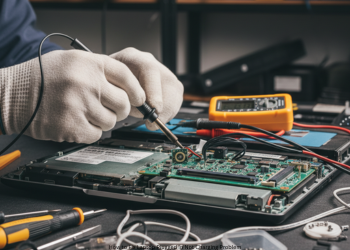
How to Fix Laptop Plugged In Not Charging Problem? Tech scares don’t get much scarier than seeing “Plugged in, not charging” on your laptop battery icon. Your laptop keeps you connected. Now it runs on borrowed time until blackout. Stay calm. These hit laptops all the time. A basic fix often works in minutes. Skip the new battery or laptop buy by just following this full troubleshooting list. We hit easy steps first, then tougher ones.
Level 1: Basic Physical Checks (Start Here!)
Well, first check the simple stuff. These fix it more often than you’d guess.
Check All Connections, Start to Finish
Loose cables are the most common culprit. Unplug and re-plug each one. Do not simply look. How to Fix Laptop Plugged In Not Charging Problem?
- Wall to Power Brick: Pull cable from outlet and brick. Push it back firm.
- Power Brick to Laptop: Unplug from brick-if split-and laptop port. Reconnect tight. Feel for a click.
- Check the Outlet: Does it work? Plug in a lamp or phone charger to check power.
Damage on Charger and Cables Look for
Chargers take a beating from bends and steps. Inspect close.
- Identify frayed points, kinks, dog bites, or bare wires. Check the tip: Bent or gone pin?
- Feel the brick: Warm is ok when plugged in. Hot or buzzing? Trouble
- Safety Tip: Damaged wires mean fire risk. Stop using it now.
Let It Cool Off
- Hot laptops block charging via their built-in safeguards.
- If it gets too hot, turn full power off. Unplug. Wait 15-20 minutes. Try charging afterwards. Long-term, keep vents clear. Clean the fans if you need to do so. How to Fix Laptop Plugged In Not Charging Problem?
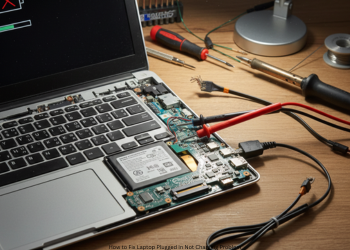
Level 2: Software Glitch Fix (The Driver Reset Trick)
Good connections? Well, blame Windows software often. Battery drivers glitch out. Reset them safe and quick. How to Fix Laptop Plugged In Not Charging Problem?
Battery Driver Reset Steps
- Plug in the AC adapter.
- Right-click Start. Select Device Manager.
- Open Batteries section.
- See these: Microsoft AC Adapter Microsoft ACPI-Compliant Control Method Battery
- Right click the battery one. Uninstall device. Ok the warning. Safe move.
- Right-click AC Adapter. Uninstall it too.
- Shut down full (Power menu, not Restart).
- Unplug adapter.
- Remove battery if possible. Wait one minute.
- Replace battery. Plug in. Power on.
Windows detects the components and/or installs new drivers. Often, charging will turn on immediately. How to Fix Laptop Plugged In Not Charging Problem?
Level 3: Deeper Hardware Checks
Still stuck? Now check the hardware.
Run a Battery Health Report
Batteries wear out over time. Windows checks this easy.
Steps:
- Right-click Start. Run Terminal (Admin) or PowerShell (Admin).
- Type: powercfg /batteryreport Hit Enter.
- It saves a file. Note the path is often C:\Users[YourName]\battery-report.html.
- Open in browser.
- Find Installed batteries. Match Design Capacity to Full Charge Capacity.
- Meaning: Design is new battery max. Full Charge is now. Under 50%? Battery’s done. Replace it.
Test the Charging Port
Ports wear from use.
Test: Wiggle the tip in port. Flicker light? Loose feel? Pro repair needed.
Final Check: Time for Pros?
Tried a good charger from a friend? No success. Driver reset unsuccessful. Battery report seems fine. Hardware fault likely, bad port or motherboard. Head to a trusted shop. How to Fix Laptop Plugged In Not Charging Problem?
FAQs
Stuck at 80% or 95% charge? Why?
Not a glitch. Brands like Dell, Lenovo, ASUS stop there to save battery life. Turn it off in their power app.
Okay to keep plugged in always?
Yes, with new laptops; they switch to AC power once the battery is full. The 80% cap helps if plugged lots.
Any charger work?
No. Match voltage (V) and tip. Watts (W) or amps (A) match or beat original. Wrong voltage fries it. Low power fails. How to Fix Laptop Plugged In Not Charging Problem?
How much does repairing a charging port cost?
$ 75 to $ 200 or more. Simple swap is cheap. Soldered to board? Lots more work.
1 thought on “How to Fix Laptop Plugged In Not Charging Problem?”