

How to Fix Slow Charging in Android? A phone that charges slowly can ruin your day. Don’t blame the battery or the device just yet, as the culprit in most cases is a faulty cable, adapter, or software tweak. We’ll take it one fix at a time.
Part 1: Check Your Charging Gear (Top Causes)
Begin with this. These three items spark over 80% of slow charges.
Step 1: Look at the Cable
Cables fail first. Daily bends and pulls wear them out.
- Find the damage: Look for frayed spots, bent pins, or loose ends. Hidden breaks inside block full power too.
- Test Another: Take a good cable and connect it with your adapter. Fast charge means the old one failed. Toss it.
- Quality Counts: Thin gas-station cables can’t handle fast power needs. Choose thick, rated fast-charge cables from trusted brands. How to Fix Slow Charging in Android?
Step 2: Test the Wall Adapter (The Brick)
This sets your phone’s maximum power intake.
- Stick to the Original or Certified: Your phone’s adapter matches its fast-charge specification. Others may need “Fast Charger,” Quick Charge, or Power Delivery labels with enough watts, like 25W or 45W.
- Try a Spare: Use a fast adapter, which has proven its work with your cable. Quick charge points to a bad original.
- Skip Weak Ones: A 5W relic from an old phone drags modern charging to a crawl. How to Fix Slow Charging in Android?
Step 3: Choose a Reliable Power Source
Plug location counts big time.
- Wall Outlets Rule: They supply consistent, robust power.
- Ditch PC USB ports: Laptop USB 2.0 ports push just 2.5W. Phones flash “slow charging” warnings. USB 3.0 helps some, but walls win.
Watch Power Strips and Car Chargers: Overloaded strips or cheap car ones slow you down. How to Fix Slow Charging in Android?
Part 2: Look at the Phone
Gear checks out? Inspect the device next.
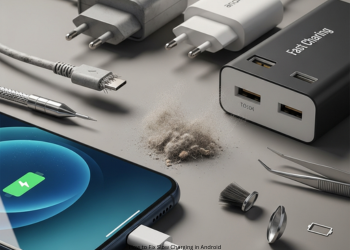
Step 4: Clean the Charging Port-Easy Fix Often Missed
Pocket lint and dust clog up ports over time. This blocks firm cable fits.
Safe Cleaning Steps:
- Switch off your phone.
- Blow off loose pieces with compressed air.
- For cases of stuck lint, use a plastic or wooden toothpick. Gently scrape the walls and scoop it out.
- Never use metal, such as paperclips or SIM tools; they short pins and ruin the port.
- Reconnect. It should snap in tight now.
Step 5: Reboot the phone
A quick restart clears the software glitches that stall charging. This simple move fixes many cases.
Part 3: Adjusting Software and Habits
Phone use during charge changes everything.
Step 6: Avoid using the phone while charging.
Games, videos, or GPS-create a lot of heat and burn power; input equates to output, so battery crawls up. How to Fix Slow Charging in Android?
Step 7: Power off the device or enable Airplane Mode.
Cut drain for max speed.
- Airplane Mode: Kills Wi-Fi, cell, and Bluetooth radios that suck battery.
- Phone Off: Best option. All the power goes directly to the battery.
Step 8: Update the OS
Software carries charging logic; bugs slow it down. Go to Settings -> System -> Update to check.
Part 4: Check Battery and Advanced Fixes
Still slow? Battery wear might be it.
Step 9: Test Battery Health
Batteries fade with age. Old ones hold less, charge slower. No easy Android gauge like the iPhone. Use the AccuBattery app. After charges, it shows health vs. original capacity. Less than 80% is time to replace. How to Fix Slow Charging in Android?
Step 10: Run Safe Mode
- Apps in the back may be power hogs and slow the charge.
- Hold power button.
- Long-press “Power off” in menu until safe mode pops up; then hit OK.
- Charge in safe mode. Speed returns? Blame an app. Reboot, delete new ones till fixed.
Part 5: Call in the Pros
All else fails? Hardware trouble.
- Battery Swap: Poor health demands pro replacement.
- Bad port: Cleaning failed and fittings remain loose? The port should be repaired.
- Circuit Problem: Power chip on board seldom fails. Pros diagnose and repair.
Conclusion
Slow charging of the phone feels like a bad dream today. But most fixes are quick and easy. Firstly, rule out thoughts of a dead battery. Do smart checks first. Bad cables or weak chargers are the causes of most problems. Think frayed cords, low-power adapters, or even a laptop’s USB spot. How to Fix Slow Charging in Android?
Rule out your tools first. Look at the charging port of the phone. Dirt builds up there. Clean it gently with a plastic pick. Software counts, too: phone use and sneaky apps while plugged in drag down the speed. Check your cable, adapter, outlet, and port. Tweak the software. This solves the problem in many cases. After that, check a worn-out battery or call a professional for repair. How to Fix Slow Charging in Android?
FAQs
Q1: My phone says “Charging slowly.” What to check first?
That warning means low power input. Start with the outlet and cord.
Use a wall plug, not a PC USB. Try a fresh, good cable. They fail most
Q2: Why fast charge one time, slow the next, same setup?
Heat and hidden tasks play big roles.
Heat: High temperatures slow down the charging to save the battery. Games or maps heat it up fast. Background Activity: Updates or syncs use power. Less goes to charge. How to Fix Slow Charging in Android?
Q3: Safe to clean port with a paperclip?
No way. Skip metal like clips or tools. That just shorts the pins and wrecks things. Pick wood, plastic, or air spray.
Q4: Do cheap cables hurt charging speed?
Yes, a lot. Quick Charge or PD needs the right links between phone, charger, cable. Slim junk cords can’t take the power. Phone drops to safe 5W mode. How to Fix Slow Charging in Android?
Q5: “Fast Charging” vs. “Super Fast Charging”?
Names for power levels.
Fast hits 15W to 18W, Super Fast hits 25W, 45W plus, Samsung style. Match cable and adapter to the standard; that is, 45W PD. How to Fix Slow Charging in Android?
Q6: Signs my battery needs swap?
Android doesn’t offer easy health stats like iPhone. Watch for: Quick Drain quits now, full days are skipped. Shuts down at 20-30% shown. Download AccuBattery app to check. Under 80% of original? Replace. How to Fix Slow Charging in Android?
1 thought on “How to Fix Slow Charging in Android?”