

How to Fix Laptop Keyboard Typing Wrong Letters? You’re composing an important email. The words move to symbols and numbers. You push J. You get 1. You strike @ and get “. That frustration boils, and you itch to toss your laptop. Chill. This hits often. Hardware rarely fails. Fixes stay simple most of the time. This guide lists top causes and steps. We start with the quick ones. Get your keys working properly once again.
Level 1: Easy Software and Settings Tweaks (Try First!)
These solve 90% of bad key problems.
Solution 1: Num Lock Turns Letters to Numbers
Top cause on laptops, small ones lack full number pads.
- Problem: Right-side keys double as numbers. U I O P J K L; M ./ correspond to 4 5 6 * 1 2 3 – 0. +, and are flipped by Num Lock on.
- Fix: Find Num Lock, NumLk key. Or icon like calculator or boxed 1. Often pairs with F11, F8, Insert. Press Fn (bottom left) plus it. Toggle off. Fn + Num Lock = Quick win!
Solution 2: Incorrect Language or Layout Selected
Symbols change frequently. @ and ” are flipped. Shift+3 types £, not #. US and UK layouts differ.
- The Issue: Windows picks layout that skips your key setup.
Fix for Windows 11:
- Check the taskbar near the clock. See ENG US or ENG UK.
- Click it. A layout list pops up.
- Pick your match. US users take English (United States) – US. UK picks English (United Kingdom) – UK.
- Test keys: Problem disappears quickly.
Drop bad layout for good: Click icon, Hit More keyboard settings, Spot wrong one – Click dots, Remove it. How to Fix Laptop Keyboard Typing Wrong Letters?
Level 2: Dig into Software Glitches
Simple steps fail? Check drivers next.
Solution 3: Simple Restart
- Old trick works. Clears the memory bugs on keys: Shut down. Power up. Move on. How to Fix Laptop Keyboard Typing Wrong Letters?
Solution 4: Windows Keyboard Tool
- Built-in fix hunts key woes auto.
- Right-click Start. Select Settings.
- Hit the System tab. Scroll down to Troubleshoot.
- Tap Other troubleshooters.
- Find Keyboard. Launch it.
- Follow steps. Let it fix.
Solution 5: New Keyboard Driver
- Bad driver acts weird, reinstall grabs clean copy.
- Right-click Start. Device Manager.
- Open Keyboards.
- Locate the primary one like Standard PS/2 Keyboard. Right-click.
- Uninstall device. Safe move! Ok it.
- Reboot. Windows reloads driver auto.
Level 3: Hardware and Touch Checks
Software out? Go physical.
Solution 6: Insert USB Keyboard
- Key test. Use spare USB one.
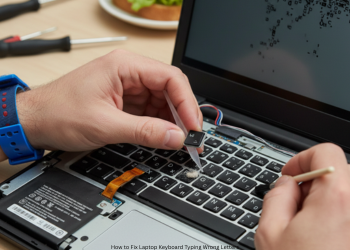
- It works fine? In-built key hardware broke. Dirt, damage, or interior fault.
- USB keys wrong, too? Pure software. Deep settings, driver clash, malware. Revisit language. Scan viruses full. How to Fix Laptop Keyboard Typing Wrong Letters?
Solution 7: Wipe Keyboard Clean
- Grime jams keys, crumbs stick.
- Power off full.
- Flip laptop, shake light, loosen junk.
- Grab air can. Blast gaps short. Angle it.
Final Step: Call in Pros
- All fails? USB works? Internal keyboard died. Reasons:
- Spill shorts circuits.
- Drop pulls cables.
- Age wears out.
- Go to repair shop. They check and probably replace keyboard. How to Fix Laptop Keyboard Typing Wrong Letters?
FAQs
Q1: Just one key wrong? Why?
dirt under key switch. Blast air there. No luck? The switch broke. Needs new keyboard.
Q2: Symbols off? Shift+2 is ” not @.
Wrong layout selected. Using US keys w/ UK set or viceversa. Do Fix 2. Match region.
Q3: USB keyboard wrongs too?
Hardware is fine! Problem in Windows. Language check again 2. Run troubleshooter 4. Deep malware scan. How to Fix Laptop Keyboard Typing Wrong Letters?
Q4: Keyboard swap cost?
Model dependent. Some cheap $20-50, easy swap. Thin new ones? $100+ part, tough job. Quote local shop. How to Fix Laptop Keyboard Typing Wrong Letters?
1 thought on “How to Fix Laptop Keyboard Typing Wrong Letters?”