
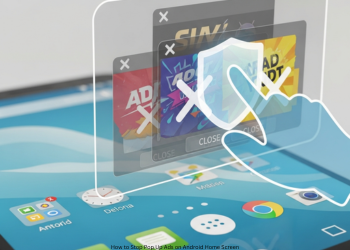
How to Stop Pop Up Ads on Android Home Screen? One of the worst problems Android users deal with are random ads on the home screen, lock screen, or over apps. It’s not normal behavior. An app you installed that was bad usually causes it. This tutorial will walk you through the process, step by step, of finding and deleting that application.
How to Block Pop-Up Ads on Android Home Screen: The Complete Guide
First, note this isn’t a traditional virus. It’s an app you installed with permission to “Appear on top” or “Display over other apps.” We want to identify and uninstall that rogue app. How to Stop Pop Up Ads on Android Home Screen?
Part 1: The Search – Spot the Bad App
These apps hide as harmless tools, like a file manager, flashlight, photo editor, or basic game. Use these top ways to find it.
Method 1: Recent Apps Trick (Easiest and Best)
Start here. When an ad pops up next time:
- Don’t close it immediately.
- Open recent apps: Swipe up from bottom, and hold, or tap the square button on older phones.
- Check the top app in that list; it usually displays the ad’s name and icon. That’s the one!
- Tap its icon in the preview. Select “App info.” Uninstall from there.
- If the advertisement disappears quickly or doesn’t work, proceed with the following approach.
Method 2: Checking the Special Permissions
- This hits the root: the permission for pop-up ads.
- Open Settings > Apps.
- Tap the three-dot menu top right. Select “Special access” or “Special app access.”
- Select “Display over other apps” or “Appear on top.”
- See all apps allowed to overlay your screen. Check the list close.
- Identify unknown apps.
- Now find apps that shouldn’t have this, such as a calculator or flashlight.
- Disable the permission for suspects. If ads stop, that’s it. Uninstall fully.
Method 3: Play Store Recent List
- Play Store keeps track of your applications.
- Open the Play Store.
- Tap the profile icon top right.
- Go to “Manage apps & device” > “Manage.”
- Switch to “Installed” and sort by “Recently used.”
- Check the top. Those apps that are unknown or not in use during ads are suspect. Delete them. How to Stop Pop Up Ads on Android Home Screen?
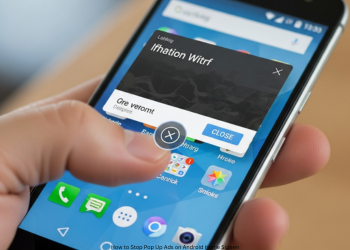
Part 2: Removal – Delete the Bad App
- After finding it, removal is easy most times.
- Settings > Apps > See all apps.
- Tap the bad app.
- Click “Uninstall.”
- Uninstall Button Grayed Out?
- Apps trick you using Device Admin rights to block this. Revoke first.
- Settings > Security > Device admin apps. Or search it.
- Find the app.
- Switch off or tap and “Deactivate.”
- Return to app info. Uninstall now works. How to Stop Pop Up Ads on Android Home Screen?
Part 3: Prevention – Avoid It Next Time
- Doubt-free utility apps: flashlight, QR scanners, PDF tools, and file managers; they hide adware. Use the phone’s own apps.
- Check Recent Reviews: Sort by newest before install. Skip if ads are mentioned.
- Watch Permissions: Note what apps ask. Does the game need overlay? Deny odd ones or skip install.
- Use Safe Sources: Play Store beats random APK sites. How to Stop Pop Up Ads on Android Home Screen?
Conclusion
These home screen ad pop-ups are from a bad app you installed, not system virus. It uses “Display over other apps” to push ads anytime. How to Stop Pop Up Ads on Android Home Screen?
Hunt for that one app, not for viruses. The best move: When an ad hits, check recent apps and uninstall. Know this to block the future ones. Check the permissions and the apps close, skip the free tools from unknowns. You are back in control with smart search and quick delete. How to Stop Pop Up Ads on Android Home Screen?
FAQs
Q1: No application name or icon appears. What to do now?
Apps hide this way. Use Method 2; it lists them in permissions.
Q2: Virus? Need antivirus?
Not a virus, it’s adware or unwanted application. Antivirus like Malwarebytes helps, but for this kind of issue, often manual steps work faster. How to Stop Pop Up Ads on Android Home Screen?
Q3: Ads only in Chrome, not home screen?
Different problem: sites send push notices.
Chrome > three-dot menu > Settings > Site settings > Notifications. Block bad sites from allowed. How to Stop Pop Up Ads on Android Home Screen?
1 thought on “How to Stop Pop Up Ads on Android Home Screen?”