

How to Increase Mobile Hotspot Speed in Android? You rush to meet a deadline. Laptop sits open. Coffee shop Wi-Fi crawls slow. Your pocket holds a fast phone. Turn on the hotspot. Link your laptop. Spinning icon drags on. Web pages creep. Video calls turn choppy. Dial-up days return. Frustration hits hard. Phone bars show solid 4G or 5G. Hotspot lags bad. What causes this? Better yet, how to fix it? This guide boosts the speed of your Android hotspot. It covers slow tether reasons and steps in full detail, from quick changes to pro tips. Get maximum speed from your mobile link. How to Increase Mobile Hotspot Speed in Android?
Part 1: Identify the Bottlenecks First
Fix problems once you know them. Hotspot speed links many parts – a snag hits anywhere.
- Cellular Link Source: This is the main source. The maximum speed set from the phone tower is the limit it shares. Things affect it:
- Bars of signal: More bars, the faster; weak ones slow everything down.
- Network Type: 5G > 4G/LTE. 4G > 3G.
- Tower Crowds: Busy tower acts like jammed road. All speeds drop.
- Carrier Limits: Unlimited plans cap fast hotspot data. Hit the cap? They either slow you or rank you low.
- Phone Role-Mid Link: It captures cell data and then sends it over Wi-Fi.
- Hardware Caps: Older phones contain weak chips or processors. Cannot push high speeds.
- Back Tasks: Application updates or heavy work steal power from the hotspot.
- Battery Savers: These cut phone speed to save juice. Hotspot suffers.
- Wi-Fi Hotspot (Last Link): Wi-Fi from phone to laptop seals it.
- Range Issues: Farther laptop means weak signal. Walls block it too.
- Wi-Fi Channel: Key choice often overlooked. 2.4 GHz and 5 GHz are very different. How to Increase Mobile Hotspot Speed in Android?
Part 2: Speed It Up Checklist
Go step by step. Easy fixes first. Then harder ones. How to Increase Mobile Hotspot Speed in Android?
Phase 1: Tune the Cell Signal
1. Move Your Phone: Best quick win. Spot picks signal.
- Aim near window.
- Lift it high.
- In car? Dash spot works.
- Shift feet away in room. Check bars. Find strong zone.
2. Reboot Phone: The old fix shines. Clears junk, grabs fresh tower link.
3. Kill Data Saver: It cuts speed and back data to save use.
- Settings > Network & internet > Data Saver. Turn off
Phase 2: Tweak Hotspot Options
Big gains hide here.
4. Key Shift: Select 5 GHz Wi-Fi
The phones choose 2.4 GHz by default. Works with old gear. Reaches far. But slow. Full of noise from other nets, ovens, Bluetooth.
- 2.4 GHz: Long range. Low maximum speed. Plenty of interference.
- 5 GHz: Close range. Much faster. Less noise.
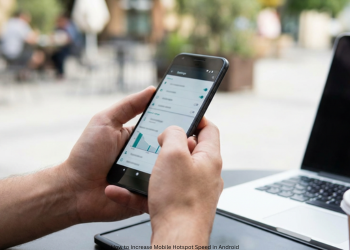
Switch it:
- Settings > Network & internet > Hotspot & tethering.
- Hit Wi-Fi hotspot.
- Find “AP Band” or “Band” (tap Advanced maybe).
- Pick “5.0 GHz Band” not 2.4.
Tip: Stay close with 5 GHz for top speed on laptop. This doubles speed often.
5. Turn off auto shut-off:
Some kill hotspot if idle. That saves power but cuts in; in the hotspot menu, toggle this off. How to Increase Mobile Hotspot Speed in Android?
Spot Power Saves: Hotspot menu may have battery tweaks. OFF.
Phase 3: Pro Moves for Peak Speed
7. USB Tether Over Wi-Fi: Best of them all for speed, stable. Wires phone to laptop directly.
Why win:
- Top Speeds: Skips Wi-Fi weak spot. Straight to cell.
- No Noise: Wire beats air waves.
- Phone Charges: USB pulls laptop power. No drain.
Steps:
- Plug USB cable.
- Settings > Network & internet > Hotspot & tethering.
- Flip “USB tethering.” Laptop grabs it auto.
8. WIPE CACHE: Clears phone junk. Helps with the hotspot flow. Boot into recovery mode-phone steps vary. Select “Wipe cache partition.”
9. Check Data Plan: Carrier app or site. See usage. Past hotspot cap? Throttle hits. Wait for reset.
10. Cut Devices: Hotspot splits speed. Phone strains more. Drop extras.
Conclusion
A slow mobile hotspot doesn’t have to annoy you. Take it step by step to locate and rectify the issue in no time. Check the basics first: Move your phone for the strongest cell signal. Open Hotspot settings next. Switch to the 5 GHz Wi-Fi band. For peak speed and stability, use USB tethering. These steps terminate slow links. You gain the fast, steady web you pay for, anywhere. How to Increase Mobile Hotspot Speed in Android?
FAQs
Q1: What is the quickest trick to boost the hotspot speed?
Switch your hotspot Wi-Fi from 2.4 GHz to 5 GHz. This usually doubles the speed on a faster, less crowded band. Find it in Settings > Network & internet > Hotspot & tethering > Wi-Fi hotspot > AP Band. How to Increase Mobile Hotspot Speed in Android?
Q2: My phone shows strong 5G, yet the hotspot lags. Why?
This happens quite a lot. Key causes include:
Carrier Throttling: Plans set a lower data cap for hotspots. Hit that cap and speeds drop.
Wi-Fi Limit: 5G feeds a slow 2.4 GHz hotspot to your laptop. Switch to 5 GHz.
Phone Load: Heat or background applications cut hotspot power. How to Increase Mobile Hotspot Speed in Android?
Q3: Does a mobile hotspot kill the battery fast?
Yes, it runs the cell radio hard and beams Wi-Fi too. Plug in a charger to fight the drain. Or pick USB tethering. It speeds things up and charges your phone. How to Increase Mobile Hotspot Speed in Android?
Q4: What is USB tethering, and is it better than using a Wi-Fi hotspot?
USB tethering links your phone to a computer via cable for internet sharing. It beats Wi-Fi hotspots because:
It runs faster, skips Wi-Fi limits. It stays stable, ignores wireless noise. It charges your phone too. How to Increase Mobile Hotspot Speed in Android?
Q5: How do I know if a carrier is throttling hotspot usage?
First, check your carrier app or website for data use for this billing cycle. Unlimited plans will show “High-Speed Hotspot Data” caps like 15GB or 50GB. Go over that and throttling starts.
Q6: Switched hotspot to 5 GHz but laptop misses it. Why?
Your laptop’s Wi-Fi card may be old and skip 5 GHz. New gear works fine. Older or cheap ones don’t. Switch back to 2.4 GHz for match, though slower. How to Increase Mobile Hotspot Speed in Android?
1 thought on “How to Increase Mobile Hotspot Speed in Android?”