
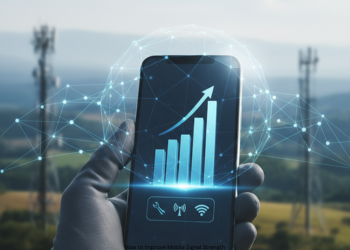
How to Improve Mobile Signal Strength? Everyone faces it. An important call loses clarity as the voice turns robotic. A video stream freezes on a loading icon. Worst of all, an emergency call fails with the words “No Service.” Poor mobile signals rank high among daily irritations. They interrupt jobs, separate people from family, and create hassle. The fix is simple: act to strengthen it. In urban buildings, remote houses, or city dead spots, options exist to boost signal power. This full guide covers free tips to strong devices. Restore your signal strength. How to Improve Mobile Signal Strength?
Part 1: Simple Fixes First (No Cost Involved)
Test basic steps before buying or altering much. Small changes often yield big gains.
1. Shift Your Spot
Signals travel as radio waves blocked by objects. This fix costs nothing.
- Climb Up: Higher floors in tall buildings block less between you and the tower.
- Head to a Window: Thick walls of concrete or metal cut signals. Windows offer direct paths to towers.
- Go Out: No indoor bars? A quick step outside links you fast.
2. Ditch the Phone Case
A thick or metal case harms your signal. It blocks the phone’s built-in antenna.
- Test it: Use a speed app like Speedtest with case on. Remove case, test same spot. Better speed points to the case.
3. Airplane Mode Reset
This resets your network link. Phones cling to weak towers at times. How to Improve Mobile Signal Strength?
- Open settings.
- Switch on Airplane Mode.
- Pause 10-15 seconds.
- Switch it off.
Your phone drops all links then seeks the best signal nearby. A full restart does this too.
4. Adjust Your Grip
Past phones dropped calls from hand blocks on antennas. The issue lingers. Hands cover side or bottom antennas. Grip edges only. How to Improve Mobile Signal Strength?
Part 2: Tweak Software and Options
Basic moves fail? Check phone settings next.
1. Turn On Wi-Fi Calling
Use it with good Wi-Fi but weak cell service. Calls and texts run over internet, not cell towers. How to Improve Mobile Signal Strength?
- iPhone: Settings > Phone > Wi-Fi Calling, switch on.
- Android: Settings > Connections (or Network & Internet) > Wi-Fi Calling, turn on. Paths differ by brand.
Active? See “Wi-Fi” by carrier name. Calls stay clear sans cell bars.
2. Pick Network Type (5G or 4G/LTE)
5G speeds high but covers less than 4G/LTE. Phones chase weak 5G over solid 4G. How to Improve Mobile Signal Strength?
- iPhone: Settings > Cellular > Cellular Data Options > Voice & Data. Set LTE over 5G Auto.
- Android: Settings > Connections > Mobile Networks > Network Mode. Choose LTE/3G/2G (auto).
Steady 4G beats spotty 5G.
3. Refresh Carrier and Phone Updates
Carriers send tweaks for better links. They join OS updates.
- Keep your OS current. iPhone carrier check: Settings > General > About. Pop-up shows if ready.
4. Wipe Network Settings
Last resort for tough problems. It clears Wi-Fi saves, passwords, Bluetooth pairs. How to Improve Mobile Signal Strength?
- iPhone: Settings > General > Transfer or Reset iPhone > Reset > Reset Network Settings.
- Android: Settings > General Management or System > Reset > Reset Network Settings.
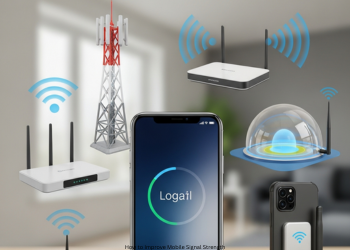
Part 3: Strong Hardware Options
All else fails? Buy gear to fix it.
1. Cell Signal Boosters
Boosters aid big spaces like homes, offices, cars. They grab faint outdoor signals, boost them, spread inside. How to Improve Mobile Signal Strength?
Key parts:
- Outside Antenna: Roof or high spot catches tower signal.
- Amplifier Unit: Boosts weak input to strong output.
- Inside Antenna: Sends boosted signal to phones indoors.
Pros:
- Aids all carriers, all devices in range.
- Lifts call quality and data speed.
- Suits homes, work, vehicles.
Cons:
- Costs a lot.
- Needs right setup, key for outside part.
- Requires some outdoor signal to amplify.
2. Femtocells (or Microcells)
A femtocell differs from a booster. It acts as a small, low-power cell tower for your home. The device links to your broadband internet, such as cable or fiber. It then generates a fresh, strong cellular signal indoors. How to Improve Mobile Signal Strength?
How it works: Plug it into your router. It sends calls and data over the internet to your carrier’s network.
Pros:
- It builds full signal strength inside, even with no bars outside.
- It delivers clear call quality.
Cons:
- It serves only the carrier that supplies it. A Verizon unit skips AT&T users.
- It takes up home internet bandwidth.
- Carriers often sell them with set rules for buyers.
Final Step: Contact Your Carrier
If problems persist, call your provider. They can:
- Check for outages: They spot issues with local towers.
- Find your spot: They view maps and note the closest tower.
- Give help: They may cut femtocell costs or provide one free to loyal users in weak zones. How to Improve Mobile Signal Strength?
Conclusion
Poor mobile signals need not last. Steps like shifting to windows, turning on Wi-Fi Calling, or adding boosters offer real fixes. Try free options first. Build up from there. Soon, drops end, and links stay strong. How to Improve Mobile Signal Strength?
Frequently Asked Questions (FAQ)
Why is my mobile signal weak?
Distance from towers weakens it. Walls, roofs, hills, or trees block waves too.
What free fix works fastest?
Shift spots. Head to windows, up floors, or outdoors for quick gains.
Can phone cases harm signals?
Yes. Thick or metal cases block antennas and cut reception.
What does the Airplane Mode trick do?
Switch it on for 10 seconds. Turn off. Your phone grabs the best tower.
What is Wi-Fi Calling? Use it?
It routes calls and texts via Wi-Fi, not cells. Turn it on with good internet but bad cell.
My phone has 5G. Why weak signals?
5G lags behind 4G in reach. Phones cling to faint 5G over solid 4G.
Switch from 5G to 4G/LTE?
Yes. Steady 4G beats shaky 5G for calls and data. Set it in network options.
What boosts mobile signals?
The device grabs faint outdoor signals. It amps them up and spreads strong ones inside cars, homes, or offices. How to Improve Mobile Signal Strength?
Boosters work with no signal?
No. They need some outdoor trace to boost. They make no signal from air.
What is a femtocell (or microcell)?
A tiny home cell tower. It ties to broadband for strong new signals.
Booster vs. femtocell key gap?
Boosters amp any carrier’s signal. Femtocells build new ones via internet, but for one carrier only.
Reset networks kill photos or contacts?
No. It clears Wi-Fi lists, Bluetooth links, and settings. Data stays safe.
How does hand grip hurt signals?
Hands cover side or bottom antennas. Grip edges to dodge this.
How do updates aid signals?
OS and carrier tweaks boost network talks. Ties grow strong and smooth.
When to call my carrier?
If fixes fail. They check towers, maps, and may hand out femtocells.
1 thought on “How to Improve Mobile Signal Strength?”