

Can AI Take a Picture and Turn It Into a Video? Ever looked at a photo a stunning view, a family snapshot, or sharp digital art and wished it would move? You could envision clouds drifting by in the view. Or the person smiling softly. Or the art pulsing with life. For years, that stayed in science-fiction books or took CGI pros endless hours. Now things have changed, and here is a real question:
Can AI turn a photo into video?
The quick answer is yes. That yes points to huge tech advances, new creative options, and key issues to watch. It’s about more than just basic shakes. We’re talking conceptually about a sea change in how we create and consume visual information. We’ll cover all you need to know about this big tech leap. Can AI Take a Picture and Turn It Into a Video?
How Does AI Make a Photo Move? A Clear Breakdown
AI simply doesn’t slap on a basic filter over a photo to turn it into a video; AI reads the image deep inside and tries to guess what comes next. Here’s how it works, from the easy stuff to high-level. Can AI Take a Picture and Turn It Into a Video?
1. 2.5D Parallax and Depth Maps (The Easy Method)
- This begins simple: AI scans the photo for front, middle, and back areas; then it builds a depth map to guess what sits near or far.
- It shifts those layers at varied speeds: the front moves quick, the back stays slow. The eye gets tricked into seeing 3D and motion a lot, much like the Ken Burns style in docs.
Applications like CapCut and LeiaPix nail this. They add smooth flow, giving photos a classy lift. Can AI Take a Picture and Turn It Into a Video?
2. Data-based Face Animation – like Deep Nostalgia
MyHeritage popularized this. Here’s how you do it:
- AI learns from heaps of face videos-smiles, blinks, head tilts. You add a portrait. It spots key face points: eyes, nose, mouth. Then it maps moves from a sample video onto your still image. Pixels bend and mix for real-looking action. Old photos of relatives now gaze back and smile. It hits hard. Can AI Take a Picture and Turn It Into a Video?
3. Full Video Generators – The Real Power
These are the leaders. They create new frames in which the photograph fits. They envision the next steps.
- Diffusion Models: same tech as Midjourney or DALL-E for images. AI adds noise to the photo, cleans it frame by frame into smooth video. It picks the likely moves from video training data.
- GANs: two AIs fight; one generates frames, and another checks whether they look natural. They challenge each other to produce videos that resemble true clips.
These handle tough stuff. Water flows. Steam lifts from a mug. A car rolls by all from one still shot. Can AI Take a Picture and Turn It Into a Video?
Top Tools: Bring Your Photos Alive
Ready to test it? Tools have opened up fast. Check these main ones.
For Quick Fun and Posts:
- MyHeritage: Deep Nostalgia tops for old family faces. Easy to operate.
- CapCut and TikTok: Filters add 3D pops or light moves to photos. Great for social hooks.
- LeiaPix Converter: Free pick for 2.5D effects. Choose motion strength and type. Can AI Take a Picture and Turn It Into a Video?
For Pros and Makers (High Power):
- Runway ML: Gen-2. Upload a photo. Receive a sharp 4-second video. Guide key spots with motion brushes.
- Pika Labs: Strong in AI video; add a photo and text, “Soft wind blows.” It builds the clip.
- Stable Video Diffusion by Stability AI: Free for coders, requires some technical skills, full control. Can AI Take a Picture and Turn It Into a Video?
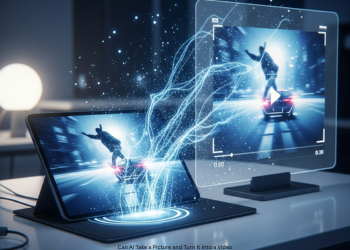
Real-World Uses: Why It Counts
This beats fun tricks. It shakes up many fields.
- Ads and Sales: The mug photo steams up, a car image drives off. Advertisements grab eyes in seconds.
- Art and Stories: Artists breathe life into stills. Fantasy scenes gain rivers and stars that shine.
- Social Feeds: Turn photos into short videos. Likes and shares jump on Instagram, TikTok, X.
- Past Keepsakes: Deep Nostalgia links us to history. Old faces feel close and real.
- Design Previews: Architects animate building shots. Add walkers or sky motion for client views. Can AI Take a Picture and Turn It Into a Video?
Issues and Ethics to Face
Strong AI has flaws.
- Uncanny Valley Hits: Moves can feel wrong, or even spooky. Faces often trip it up.
- Glitches: Apparently AI guesses pixels, skips real physics. Things warp, melt, or act odd.
- Slim Control: You guide less than you’d want. AI picks its path.
- Ethics Risks-Deepfake Trap: Face swaps from one photo spark lies, fake quotes, or harm. Be cautious. Add watermarks. Can AI Take a Picture and Turn It Into a Video?
What’s Ahead for Photo-to-Video AI?
This technology has just started. Gains came fast last year. Key shifts:
- Longer Clips: Jump from 4 seconds to 30 or full minutes. Stories stay tight, physics hold.
- Sharp Looks and Guides: Creepy fades. Tools let you aim the “camera” and moves exact.
- Photo Starts for Scripts: Upload a face and type a full scene; it acts it out. Can AI Take a Picture and Turn It Into a Video?
Conclusion:
Can AI make a photo into a video? Yes, it can. It does this in ways that feel easy, strong, and full of ideas. We hardly thought of such things a few years back. It adds light motion to old photos, builds full movie-like scenes, too. This tech opens doors to art that pros in effects once owned. A fresh kind of art now forms. Still shots blend into motion. Nothing holds it back but your own ideas. AI sets few limits. Can AI Take a Picture and Turn It Into a Video?
FAQs
Q1: Can AI turn one photo into a video?
Yes. New AI checks out the image, then adds motion to it, creating a short clip.
Q2: How does AI make this happen?
It employs key tricks. Basic ones add a 3D shift effect. Top tools like Runway and Pika scan the photo, then make new frames for real moves. Think flowing water, drifting clouds, or a smile.
Q3: What tools work well?
Fun stuff to do with old pictures: MyHeritage Deep Nostalgia or CapCut 3D effects, more options include Runway ML, Pika Labs, LeiaPix.
Q4: Do these tools cost any money?
Most offer free use: LeiaPix stays free, while Runway and Pika give start credits; paid plans add more.
Q5: What keeps them back?
Clips run short, just 3-5 seconds. Moves can look odd or glitchy. You can’t pick each motion detail.
Q6: Is this kind of like deepfake technology?
Yeah, base tech is the same. It aids art and fun, but bad use brings fake videos. Use this with care and good sense.